Version 2.1 April 2026 Supersedes v2.0

CRX•Money Brand Guidelines

The CRX•Money brand system — primitives, semantic color roles, typography, component language, and the canonical product tokens the app consumes. Use it to keep every surface (app, website, reports, exports) recognizable as one product.

v2.1 formalizes product application tokens for light and dark modes (sections 11 and 12) with measured WCAG contrast commitments, so the Blazor app can consume the brand system directly instead of approximating it.

Trustworthy and calmAnalyticalPremium restraint

01 BRAND FOUNDATION

A serious financial software brand built for clarity.

CRX•Money sits closer to institutional finance than speculative fintech. It should communicate reliable control, disciplined analysis and premium restraint across every surface.

What CRX•Money is

A financial software product that turns account activity, performance and exceptions into readable action.

Mission
Turn complex financial activity into clear, reliable action.
Positioning
Modern and premium, but measured. Structured and efficient, never theatrical.
Surface logic
Light mode is the document and reporting expression. Dark mode is the continuous application expression.

The brand should feel calm enough for reporting, capable enough for dashboards and consistent enough to travel across exports, decks and the public site without changing personality.

Brand affirmations

  • Let numbers, charts and tables lead.
  • Quiet authority over loud energy.
  • Premium comes from restraint, not decoration.
  • Direct and calm — say it plainly, then stop.

Off-brand signals

  • Flashy, noisy or over-gamified interpretations.
  • Generic crypto-neon or speculative-fintech visuals.
  • Choices that feel louder than the product itself.

02 BRAND PRINCIPLES

Principles should translate directly into visual and verbal choices.

The system becomes coherent when the same principles shape interface design, reporting layout, website pacing and copywriting.

Trustworthy

Visual

Use quiet surfaces, stable grids, consistent contrast and obvious hierarchy. Make interactions feel deliberate rather than playful.

Verbal

State what happened, why it matters and what to do next. Prefer plain confidence over excitement.

Analytical

Visual

Let numbers, charts and tables lead. Keep color disciplined so changes and exceptions remain visible.

Verbal

Lead with evidence, comparisons and distinctions. Avoid vague claims with no observable basis.

Premium

Visual

Create elegance with spacing, proportion and material restraint. Gold should sharpen the system, not flood it.

Verbal

Use precise, composed language. Premium tone comes from confidence and clarity, not luxury buzzwords.

Efficient

Visual

Keep labels concise, actions obvious and spacing regular. Components should feel fast to parse.

Verbal

Use short verbs, short nouns and compact supporting copy. Remove filler before shrinking type.

Direct and calm

Visual

Reduce decorative noise, animation theatre and unnecessary emphasis. Leave room for the content to breathe.

Verbal

Reassure without overpromising. Explain clearly and stop once the answer is understood.

Decision rule

When a choice improves novelty but weakens clarity, trust or efficiency, choose the calmer option.

03 LOGO SYSTEM

The approved identity stays intact in v2.0.

This is an evolution, not a redesign. The current production system remains PNG-first until a controlled vector redraw is commissioned.

Primary signature

Primary light signature

CRX•Money horizontal logo on light surface
CRX•Money vertical logo on light surface
CRX•Money symbol-only mark on light surface

Use for website headers, report covers, documentation and other quiet light surfaces.

Dark surface usage

Dark signature treatment

CRX•Money horizontal logo on dark surface
CRX•Money vertical logo on dark surface
CRX•Money symbol-only mark on dark surface

Use on midnight navy, deep navy and other dark application surfaces. Avoid extra effects.

Square exports

Favicon and app icon

CRX•Money icon export 32×32 32×32
CRX•Money icon export 64×64 64×64
CRX•Money icon export SVG Scalable* SVG Scalable*
CRX•Money icon export 128×128 128×128
CRX•Money icon export 256×256 256×256

Export square icon sets separately rather than shrinking the full signature into illegibility. (*) SVG icon needs rework. It is a draft version for now.

Lockup hierarchy

  • Horizontal signature is primary.
  • Symbol-only mark is secondary.
  • No stacked lockup is approved for production today. Do not improvise one.

Asset status

  • Keep PNG masters intact.
  • Export new derivatives from the approved package only.
  • Never derive new masters from screenshots or copied slide art.

04 LOGO RULES

Protect clear space, size and contrast.

Consistent application matters more than frequency. The mark should feel deliberate, not constantly present.

Clear space

x = diameter of the gold separator dot

Maintain at least one dot-unit of clear space around the entire signature. If the surrounding surface feels crowded, increase the buffer.

Minimum size

  • Full signature - 140 px web / 32 mm print
  • Symbol only - 20 px web / 5 mm print
  • Favicons - 32 / 48 / 64 px exports

Background rules

  • Use the light signature on paper, porcelain and soft light neutrals.
  • Use the dark signature on midnight and deep navy.
  • Over imagery, place the logo on a quiet supporting panel.

Unacceptable treatments

  • Recolor or re-gradient the mark.
  • Stretch, skew, rotate or add effects.
  • Place the mark on gold-heavy or low-contrast fields.
  • Rebuild the signature with live text or approximate fonts.
  • Crop too tightly or crowd the clear space.
  • Export new masters from screenshots or copied slide art.

05 COLOR SYSTEM

A shared neutral backbone with two deliberate modes.

Light/report and dark/application are both first-class. Neutrals carry most of the experience; gold creates distinction without dominating the page.

Light / reports

White + graphite + gold family

Porcelain White

#F7F7F4

Paper White

#FFFFFF

Mist Grey

#D9DADC

Steel Grey

#8B9097

Graphite

#2F343A

Near Black

#1C2025

Muted Gold

#B08D57

Deep Gold

#8F5D18

Dark / application

Navy + silver + gold family

Midnight Navy

#0D1B2A

Deep Navy

#132238

Slate Navy

#1E314A

Blue Grey

#6E7C8C

Soft Silver

#C8D0D8

Off White

#F3F5F7

Rich Gold

#C9A14A

Pale Gold

#E3C978

Cream Gold

#F1E4BB

Role logic - Porcelain and paper carry long-form reading. Midnight is the application canvas, Deep Navy is the primary card surface, and Slate Navy is the raised or focused layer. Gold should punctuate the system, not become the system — light mode uses Muted Gold for emphasis and Deep Gold for small typography; dark mode uses Rich Gold for primary action, Pale Gold for warnings and hover lifts, and Cream Gold for quiet disabled states.

06 COLOR ROLES

Semantic UI color supports meaning. Data color stays disciplined.

Use semantic states sparingly and consistently. Most surfaces should still be neutral, leaving chart emphasis and status meaning easy to parse.

Semantic roles

Each role with its light and dark palette swatch, and the application token that consumes it

Role Recommended use Light Dark Applied as
Primary Core actions, strong hierarchy and key navigation moments.
Graphite #2F343A
Rich Gold #C9A14A
--accent-primary
Secondary Quiet controls, supporting layers and non-primary emphasis.
Steel Grey #8B9097
Blue Grey #6E7C8C
--border-strong
Success Positive movement, settled states and healthy completion cues.
Forest Green #2F7D57
Sage Green #57A37B
--accent-success
Info Contextual states, references and informational emphasis.
Steel Blue #4C6E91
Mist Blue #7AA7D9
--accent-info
Warning Review-needed states and selective caution emphasis.
Muted Gold #B08D57
Pale Gold #E3C978
--accent-warning
Danger Exceptions, errors and negative movement.
Rosewood #A34E58
Coral Rose #D77A84
--accent-danger

Applied guidance

Do and don't with semantic color

Roles emphasize, they do not decorate. Gold is punctuation, not paint. Keep most surfaces neutral; let semantics do the signaling where it matters.

Do

  • Reserve each role for its purpose — one Primary action per view, not several.
  • Match semantic intent to state — Success for completion, Warning for review, Danger for errors.
  • Test semantic colors in real UI states (buttons, badges, alerts), not isolated chips.
  • Keep the gold budget to one or two emphasis moments per view.

Don't

  • Stacking Success, Warning and Danger in the same viewport.
  • Using Primary as decoration — reserve it for the dominant action.
  • Setting long-form body copy in any semantic color, especially gold.
  • Mixing dark-mode semantic variants into light-mode surfaces or exports.

07 TYPOGRAPHY

Inter Display leads; IBM Plex Mono handles anything read as data.

Two typefaces do all the work. Inter Display gives the product its calm, disciplined voice across UI, website and reports. IBM Plex Mono handles anything that is read as a machine-addressable reference — IDs, JSON, export strings, code.

Type families

Every typeface in the system and where it lives

SCREEN

Inter Display

rsms.me/inter
Usage
Every rendered surface of the product and website uses Inter Display in weights 400–700. Its tighter metrics are tuned for screen rendering at every size; its full OpenType feature set supports disambiguated digits (ss02), open digits, round / square punctuation and 13 character variants (cv01–cv13).
CSS stack
InterDisplay, "Segoe UI", Arial, sans-serif
Loading
Self-hosted in /assets/fonts/inter with the Regular weight preloaded. Variable and static-weight WOFF2 files available in the repo.
PDF

Inter

Adobe Fonts
Usage
A broader-metric sibling of Inter Display. Reserve it strictly for PDF body copy where the renderer compresses Inter Display at 10–12pt. Never use it in the live UI, website or app shell — mixing the two metrics in one surface is visible.
CSS stack
Inter, InterDisplay, "Segoe UI", Arial, sans-serif
Embedding
Embed static weights 400 + 500 + 600 + 700; avoid the variable font (many PDF readers fall back to system metrics). Subset to Latin-1 unless a multi-language export actually ships. Pair with Inter Display for PDF cover and title pages.
SCREEN

IBM Plex Mono

Google Fonts
Usage
Used in-app and on the website anywhere text is read as code or a machine-addressable reference: JSON viewers, UUID chips, API-payload inspectors, CSS tokens, export-string displays, diagnostic panels. Plex Mono has no programming ligatures — which is the right default for data where characters must stay unambiguous.
CSS stack
"IBM Plex Mono", ui-monospace, SFMono-Regular, Menlo, Consolas, monospace
Loading
Loaded via Google Fonts with weights 400, 500 and 600. For self-hosting, OFL 1.1 allows unrestricted redistribution and embedding.
PDF

IBM Plex Mono

Adobe Fonts
Usage
Same family as the screen mono; embedded into PDF exports wherever a transaction reference, receipt number, UUID, export string or raw JSON block appears. Because Plex Mono has no ligatures, characters stay unambiguous without any feature flags to remember.
CSS stack
"IBM Plex Mono", ui-monospace, SFMono-Regular, Menlo, Consolas, monospace
Embedding
Embed static weights 400 and 500; subset to Latin-1 + digits + common symbols. OFL 1.1 licensed — PDF embedding is unrestricted. No ligature-disable toggle needed since Plex Mono ships without them.

Type scale — screen

Every screen step with a rendered specimen at its midpoint size

Display / cover

Short titles only. Inter Display, 600–700.

34–40 pt

Page titles

Primary page hierarchy. Inter Display, 600.

26–30 pt

Subheads

Section breaks and labels. Inter Display, 600.

16–18 pt

Body copy

145–160% line-height. Inter Display 400–500 (screen) or Inter 400–500 (PDF).

11.5–13 pt

Data hero

Balances and ratios. Inter Display, 600–700 with tabular figures.

24–32 pt

Mono / reference

IDs, JSON keys, export strings. IBM Plex Mono, 400–500.

9.5–11 pt

OpenType features

Each feature side-by-side — default on the left, applied on the right

Feature Use CSS Default Applied
tabular‑nums lining‑nums Balances, rates, timestamps — any column of numbers. font‑variant‑numeric: tabular‑nums lining‑nums;
ss02 (Inter Display) Disambiguated zero — the 0 gets a dot so it cannot be read as an O. font‑feature‑settings: "ss02";
cv11 (Inter Display) Single-story `a` — crisper headline display; do not enable in body. font‑feature‑settings: "cv11";
zero (IBM Plex Mono) Slashed zero — the 0 gets a slash so it cannot be read as an O. font‑feature‑settings: "zero";

Export notes — PDF and print

Embedding rules that keep exports readable in every reader

  • Embed static Inter Display weights 400 / 500 / 600 / 700 in PDF — avoid the variable font file.
  • Swap Inter Display for regular Inter in PDF body copy when a reader compresses Inter Display at small sizes.
  • Embed IBM Plex Mono (400 + 500) for every reference, code or JSON string in PDF exports.
  • Subset to Latin-1 unless a multi-language export is actually shipping.

Applied guidance

Do and don't with type

Do

  • Inter Display for every UI surface; IBM Plex Mono for every code or reference string.
  • Enable tabular figures on any column of numbers.
  • Subset and embed fonts in PDF exports — never rely on a reader's system fonts.
  • Keep the IBM Plex Mono slashed-zero on wherever a 0 lives next to an O.

Don't

  • Using Inter Display below 11pt as body copy in PDF — tighter metrics hurt readability there.
  • Embedding the variable font in PDF — most readers fall back to system metrics.
  • Mixing Inter with Inter Display on the same surface — the metric jump is visible.
  • Using a proportional font for UUIDs, JSON output or export strings.

08 LAYOUT AND SPACING

The brand feels calm when spacing does most of the work.

A disciplined grid and spacing rhythm make the product feel premium without ornament. Density can change by surface, but the underlying structure should stay consistent.

Spacing rhythm

Use a predictable spacing scale across product, web and documents. Reports should feel airy; the application can be denser, but never compressed.

xs

4

sm

8

md

12

lg

16

xl

24

2xl

32

3xl

40

4xl

48

Surface and composition rules

  • Grid feel: strong columns, predictable gutters, generous outer margins.
  • Density: reports airy; app compact but not compressed.
  • Radius: 12px controls, 16px cards, 20px hero/report containers, full pills only for badges.
  • Surfaces: use base + card + raised as the normal maximum of three layers.
  • Borders: 1px subtle; never heavy outlines.

01

Lead with the most important number or message. Every screen and page should have one dominant module.

02

Use strong columns and predictable gutters. Generous outer margins make the system feel calm.

03

Group controls near the data they affect. Avoid floating miscellany and detached pills.

04

Use three surface layers at most. Base + card + raised is usually enough.

09 COMPONENT LANGUAGE

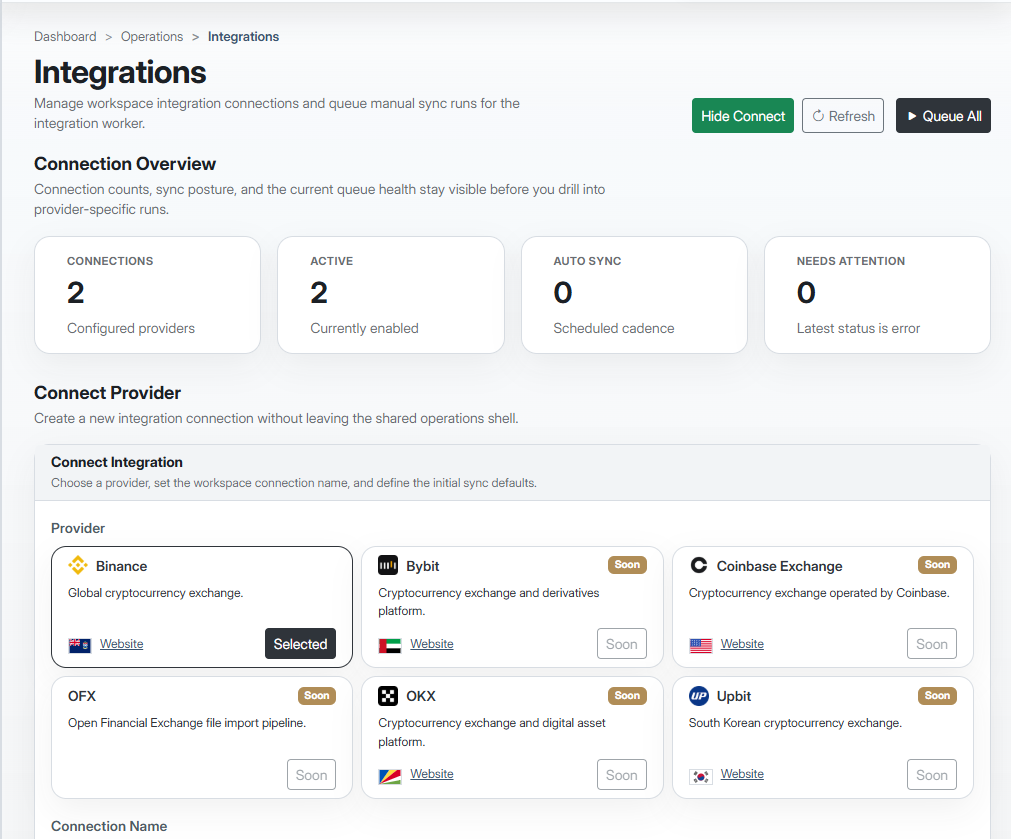
Controls should look capable, not decorative.

The UI language stays quiet, structured and modern. Surface layering is gentle, borders stay subtle, and gold emphasis is controlled.

Component specimens

The same controls rendered in light and dark scopes

Both mockups use the same .crx-* markup; the right card only adds .theme-dark on its wrapper to flip the application tokens.

Applied guidance

Do and don't with components

Do

  • One primary action per panel — reserve Primary for the dominant verb.
  • Secondary controls are hollow-by-default; filled secondary needs a reason.
  • Focus is structural first (ring, border), color second — keep it visible on every control.
  • Status badges stay short, subdued and singular; avoid stacking three colors on one row.

Don't

  • Two Primary buttons competing on the same panel.
  • Heavy outlines or decorative borders that compete with content hierarchy.
  • Gold filled into arbitrary chrome — reserve it for one or two emphasis moments per view.
  • Focus state that relies on color alone with no structural cue.

10 DATA SURFACES

Tables, cards and dashboards carry the working product experience.

These surfaces do most of the brand work inside the application. They should read quickly, align numerically, and keep a calm hierarchy in both modes.

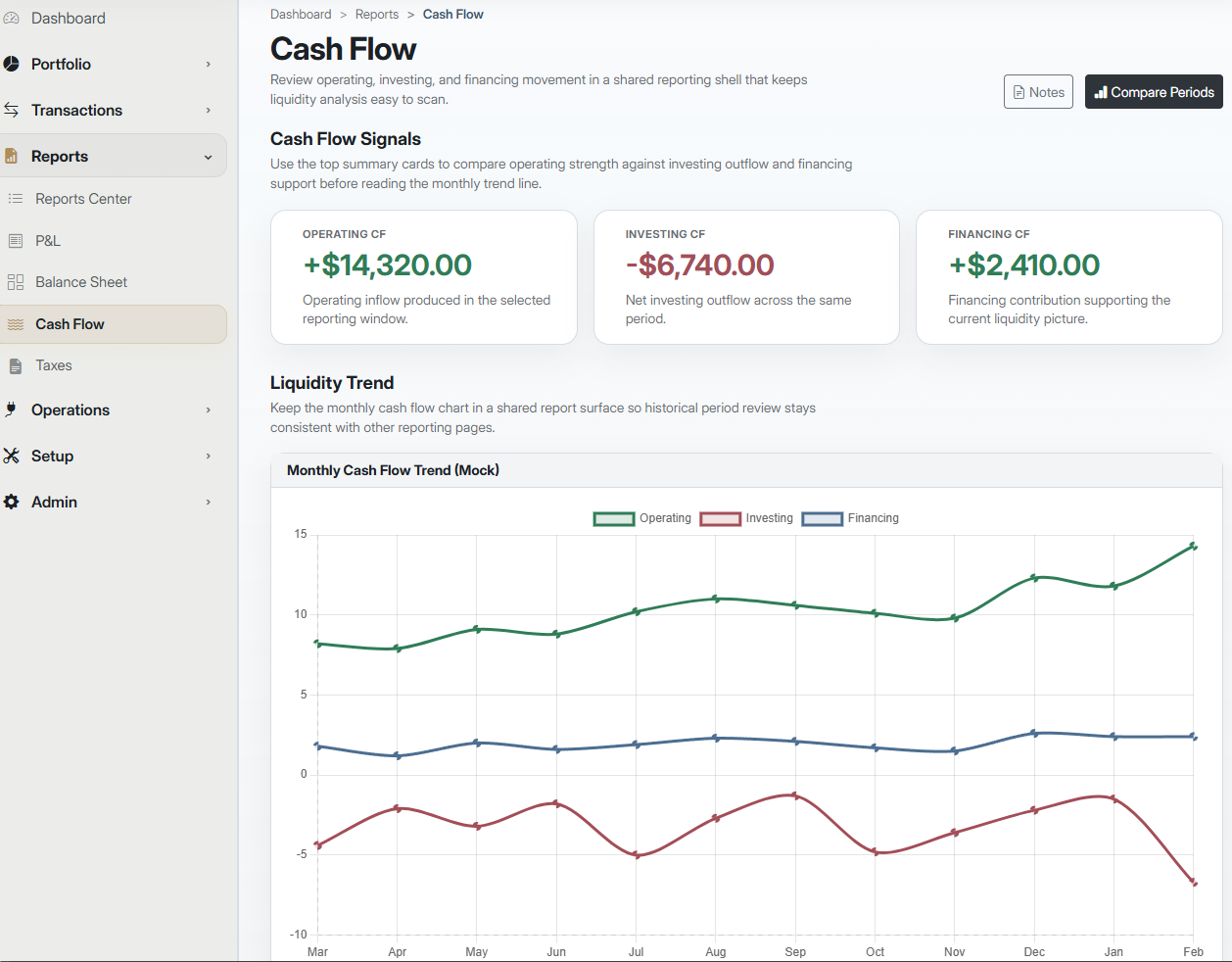
Dashboard specimens

The same data composition in both scopes

KPI row + one chart + one short table. Both cards share markup; the right side toggles .theme-dark.

Light scope

Income $24,312 +8.8%
Expenses $10,628 -6.8%
Net cash $125,784 +6.8%
Date Description Category Amount
APR 13 Freelance payment Income $10,586.00
APR 21 Restaurant dinner Expense $87.60
APR 26 Variance review Report $1,245.32

Dark scope

Income $24,312 +8.8%
Expenses $10,628 -6.8%
Net cash $125,784 +6.8%
Date Description Category Amount
APR 13 Freelance payment Income $10,586.00
APR 21 Restaurant dinner Expense $87.60
APR 26 Variance review Report $1,245.32

Applied guidance

Do and don't with data surfaces

Do

  • Right-align numeric columns; tabular figures for any balance or rate.
  • One summary metric + one chart + one supporting note is usually enough per block.
  • Subtle gridlines, neutral labels — let data color do the signaling.
  • Show the next useful action and a short explanation, especially in empty states.

Don't

  • Decorative chart styling, heavy gridlines, or marketing-style framing on analysis surfaces.
  • Proportional numerals in columns — digits will drift and balances will not line up.
  • Five semantic colors in one dashboard tile — noise over signal.
  • Empty states with no next step — tell the operator what to do, not just what is missing.

11 PRODUCT APPLICATION (LIGHT)

Light mode is the reporting expression.

Light is the canonical mode for document-grade surfaces. The tokens below are the single source of truth the Blazor product consumes — any in-app dark or light color that is not listed here is out of brand.

Where it belongs

Reports, statements, review screens, exports, investor or admin views and other long-read interfaces. Default export mode is light.

Surface feel

Porcelain and paper carry the reading surface. Graphite drives the hierarchy. Muted gold accents one or two moments per view — never more.

Gold budget

Treat gold as punctuation. If a viewport reads gold first, reduce gold. Never set long-form body copy in gold.

Canonical tokens

Light-mode product tokens

Every token name below is what the Blazor product consumes. Each token resolves to a swatch defined in Section 05 (Color system) — never introduce a product color that is not represented here.

Token Role Palette / Hex Usage
--surface-base Canvas Porcelain White #F7F7F4 App canvas for long-form reading and report surfaces.
--surface-raised Primary card Paper White #FFFFFF Cards, panels, document surfaces that sit above the canvas.
--surface-inset Inset region Mist Grey #D9DADC Input backgrounds, quiet dividers and inset strips.
--surface-overlay Overlay Paper White #FFFFFF Modals, popovers and detached menus that float above cards.
--text-primary Maximum-emphasis text Near Black #1C2025 Headlines, statement totals and strong hierarchy.
--text-secondary Body copy Graphite #2F343A Primary readable text across reports, tables and body copy.
--text-muted Labels and support Steel Grey #8B9097 Secondary labels, column headers and low-emphasis supporting text.
--text-disabled Inactive text Mist Grey #D9DADC Disabled controls and long-dormant metadata.
--text-on-accent Text over accents Paper White #FFFFFF Labels on primary actions, filled badges and gold highlights.
--accent-primary Primary action Graphite #2F343A Primary buttons, dominant navigation moments and strong hierarchy cues.
--accent-brand Brand emphasis Muted Gold #B08D57 Selective premium emphasis — one or two highlighted moments per view.
--accent-brand-deep Small-type gold Deep Gold #8F5D18 Eyebrows, section-numbering, highlight captions — the deeper sibling of Muted Gold used for small typography on light surfaces.
--accent-success Positive state Forest Green #2F7D57 Settled states, positive movement and healthy completion cues.
--accent-info Informational Steel Blue #4C6E91 Contextual states, reference metadata and informational emphasis.
--accent-warning Caution Muted Gold #B08D57 Review-needed states. Shares the brand gold; keep use selective.
--accent-danger Error state Rosewood #A34E58 Exceptions, errors and negative movement.
--border-default Hairline Mist Grey #D9DADC Default card borders, table grid lines and quiet dividers.
--border-strong Strong border Steel Grey #8B9097 Form field borders in rest state and emphasised separation.
--border-focus Focus ring Muted Gold #B08D57 2px outer focus ring on every interactive element.

Contrast commitments (WCAG)

Every text-on-surface pairing in light mode

Target is AA for normal text (≥ 4.5:1) and AA for UI / large text (≥ 3:1). AAA is preferred for long-form reading surfaces. Ratios are computed from the hex values above at build time — update a palette swatch and this matrix recomputes.

Context Pair Ratio WCAG
Aa Headline on canvas
--text-primary #1C2025
on
--surface-base #F7F7F4
15.25:1 Normal AAA Large AAA
Aa Headline on card
--text-primary #1C2025
on
--surface-raised #FFFFFF
16.37:1 Normal AAA Large AAA
Aa Eyebrow on canvas
--accent-brand-deep #8F5D18
on
--surface-base #F7F7F4
5.22:1 Normal AA Large AAA
Aa Body copy on canvas
--text-secondary #2F343A
on
--surface-base #F7F7F4
11.69:1 Normal AAA Large AAA
Aa Body copy on card
--text-secondary #2F343A
on
--surface-raised #FFFFFF
12.55:1 Normal AAA Large AAA
Aa Labels on canvas
--text-muted #8B9097
on
--surface-base #F7F7F4
2.99:1 Normal fail Large fail
Aa Labels on card
--text-muted #8B9097
on
--surface-raised #FFFFFF
3.21:1 Normal fail Large AA
Aa Primary button label
--text-on-accent #FFFFFF
on
--accent-primary #2F343A
12.55:1 Normal AAA Large AAA
Aa Gold accent label
--text-on-accent #FFFFFF
on
--accent-brand #B08D57
3.09:1 Normal fail Large AA
Aa Success badge text
--text-on-accent #FFFFFF
on
--accent-success #2F7D57
5.01:1 Normal AA Large AAA
Aa Danger badge text
--text-on-accent #FFFFFF
on
--accent-danger #A34E58
5.54:1 Normal AA Large AAA
Aa Input value on inset
--text-secondary #2F343A
on
--surface-inset #D9DADC
8.97:1 Normal AAA Large AAA

Interactive state matrix

Light-mode component states

Default, hover, pressed, focus, disabled — keep component behavior symmetrical with dark so the app never surprises a user who switches modes mid-session.

Primary button

Default Aa · Label Graphite fill, white label.
Hover Aa · Label Deepen to Near Black.
Pressed Aa · Label Near Black with 2px Muted Gold inner border.
Focus Aa · Label 2px Muted Gold outer ring.
Disabled Aa · Label Mist Grey fill, Steel Grey label.

Secondary button

Default Aa · Label Paper fill, Steel Grey border.
Hover Aa · Label Porcelain tint, Graphite border.
Pressed Aa · Label Mist Grey fill, Graphite border.
Focus Aa · Label 2px Muted Gold ring, no hollow border.
Disabled Aa · Label Porcelain fill, Steel Grey label — no outline.

Selected navigation

Default Aa · Label Porcelain row, Graphite label.
Hover Aa · Label Paper row, Near Black label.
Selected Aa · Label 3px inset Muted Gold leading bar.
Focus Aa · Label 2px Muted Gold outer ring.

Form input

Default Aa · Label Paper fill, Steel Grey border.
Focus Aa · Label 2px Muted Gold border, no shadow.
Error Aa · Label Rosewood border, danger helper text.
Disabled Aa · Label Porcelain fill, Mist Grey border.

Status badge

Neutral Aa · Label Mist Grey fill, Near Black label.
Info Aa · Label Steel Blue fill, white label.
Success Aa · Label Forest Green fill, white label.
Warning Aa · Label Muted Gold — counts against gold budget.
Danger Aa · Label Rosewood fill, white label.

Logo and lockup

Which lockup for which surface

  • Horizontal light lockup --surface-base / --surface-raised

    Default product lockup. Graphite wordmark on Porcelain or Paper.

  • Monogram (square icon) --surface-raised

    Use when space is below 40px wide — app bars, favicons, small chips.

  • Muted gold accent --surface-base

    Reserved for report cover pages and first-run welcome surfaces. Not for in-app chrome.

Applied guidance

Do and don't in light mode

Closes the loop between the contrast commitments above and the hands-on choices a designer or developer makes when painting the app.

Do

  • Graphite for primary actions — gold is accent, not the action color.
  • Keep the gold budget to one or two emphasis moments per view.
  • Graphite for body copy; Steel Grey only at ≥18px.
  • 2px Muted Gold focus ring on every interactive element.

Don't

  • White labels on Muted Gold fills — 2.77:1, fails AA.
  • Steel Grey for body paragraphs on canvas — 2.99:1, fails AA.
  • Gold on buttons, rows or chrome that are not brand emphasis moments.
  • Colors outside the token table above — it is the canonical palette.

12 PRODUCT APPLICATION (DARK)

Dark mode is the operational application expression.

Dark is the canonical mode for continuous-monitoring and multi-panel workspaces. The tokens below are the single source of truth the Blazor product consumes — any in-app surface, text or accent color that is not listed here is out of brand.

Where it belongs

Continuous monitoring, navigation-heavy workflows, dashboards and multi-panel analysis environments. Exports stay light unless a specific presentation need demands dark.

Surface stack

Midnight is the canvas. Deep Navy is the primary card surface. Slate Navy is the raised / focused layer, used for overlays and active selections.

Gold in dark

Gold is more load-bearing in dark than in light — it is the primary action color. Keep supporting accents (Info, Success, Danger) quieter so gold stays legible.

Canonical tokens

Dark-mode product tokens

Every token name below is what the Blazor product consumes. Each token resolves to a swatch defined in Section 05 (Color system) — never introduce a product color that is not represented here.

Token Role Palette / Hex Usage
--surface-base Canvas Midnight Navy #0D1B2A Application canvas for operational, multi-panel workspaces.
--surface-raised Primary card Deep Navy #132238 Primary dark card surface for panels, dashboards and list regions.
--surface-inset Inset region Midnight Navy #0D1B2A Form inputs and quiet inset strips within raised cards.
--surface-overlay Overlay Slate Navy #1E314A Modals, popovers and focused containers sitting above cards.
--text-primary Maximum-emphasis text Off White #F3F5F7 Headlines, statement totals and strong hierarchy.
--text-secondary Body copy Soft Silver #C8D0D8 Primary readable body text across operational surfaces.
--text-muted Labels and support Blue Grey #6E7C8C Secondary labels, axis captions and low-emphasis supporting text.
--text-disabled Inactive text Slate Navy #1E314A Disabled controls — keep near surface tone so they visibly recede.
--text-on-accent Text over accents Midnight Navy #0D1B2A Labels on gold accents and pale-gold warning surfaces.
--accent-primary Primary action Rich Gold #C9A14A Primary buttons and dominant call-to-action moments in dark mode.
--accent-brand Brand emphasis Rich Gold #C9A14A Primary emphasis in dark mode — gold becomes more load-bearing here than in light.
--accent-success Positive state Sage Green #57A37B Settled states, positive movement and healthy completion cues.
--accent-info Informational Mist Blue #7AA7D9 Contextual states, reference metadata and informational emphasis.
--accent-warning Caution Pale Gold #E3C978 Review-needed states. Brighter than brand gold so it separates from primary action.
--accent-danger Error state Coral Rose #D77A84 Exceptions, errors and negative movement.
--border-default Hairline Slate Navy #1E314A Default card borders and table grid lines in dark mode.
--border-strong Strong border Blue Grey #6E7C8C Form field borders at rest and emphasised separation.
--border-focus Focus ring Rich Gold #C9A14A 2px outer focus ring on every interactive element.

Contrast commitments (WCAG)

Every text-on-surface pairing in dark mode

Target is AA for normal text (≥ 4.5:1) and AA for UI / large text (≥ 3:1). Dark mode is where the Chart of Accounts contrast regression lives — these ratios are the acceptance gate for the product-side fix.

Context Pair Ratio WCAG
Aa Headline on canvas
--text-primary #F3F5F7
on
--surface-base #0D1B2A
15.92:1 Normal AAA Large AAA
Aa Headline on card
--text-primary #F3F5F7
on
--surface-raised #132238
14.63:1 Normal AAA Large AAA
Aa Eyebrow on canvas
--accent-brand #C9A14A
on
--surface-base #0D1B2A
7.19:1 Normal AAA Large AAA
Aa Body copy on canvas
--text-secondary #C8D0D8
on
--surface-base #0D1B2A
11.16:1 Normal AAA Large AAA
Aa Body copy on card
--text-secondary #C8D0D8
on
--surface-raised #132238
10.25:1 Normal AAA Large AAA
Aa Labels on canvas
--text-muted #6E7C8C
on
--surface-base #0D1B2A
4.08:1 Normal fail Large AA
Aa Labels on card
--text-muted #6E7C8C
on
--surface-raised #132238
3.75:1 Normal fail Large AA
Aa Primary button label
--text-on-accent #0D1B2A
on
--accent-primary #C9A14A
7.19:1 Normal AAA Large AAA
Aa Warning badge text
--text-on-accent #0D1B2A
on
--accent-warning #E3C978
10.68:1 Normal AAA Large AAA
Aa Success badge text
--text-primary #F3F5F7
on
--accent-success #57A37B
2.77:1 Normal fail Large fail
Aa Danger badge text
--text-primary #F3F5F7
on
--accent-danger #D77A84
2.74:1 Normal fail Large fail
Aa Input value on inset
--text-secondary #C8D0D8
on
--surface-inset #0D1B2A
11.16:1 Normal AAA Large AAA

Interactive state matrix

Dark-mode component states

Gold carries the primary action weight in dark — hover lifts toward Pale Gold, pressed settles back to Muted Gold. Focus rings use Off White so they stay legible over gold accents.

Primary button

Default Aa · Label Rich Gold fill, Midnight label.
Hover Aa · Label Lift to Pale Gold; label stays Midnight.
Pressed Aa · Label Drop to Muted Gold for press.
Focus Aa · Label 2px Off White ring over the gold fill.
Disabled Aa · Label Pale Gold label on paler gold fill.

Secondary button

Default Aa · Label Deep Navy fill, Blue Grey border.
Hover Aa · Label Slate tint, Rich Gold border.
Pressed Aa · Label Midnight fill, Rich Gold border.
Focus Aa · Label 2px Rich Gold ring replaces border.
Disabled Aa · Label Slate Navy fill, Blue Grey label.

Selected navigation

Default Aa · Label Midnight row, Soft Silver label.
Hover Aa · Label Deep Navy row, Off White label.
Selected Aa · Label 3px inset Rich Gold leading bar.
Focus Aa · Label 2px Rich Gold outer ring.

Form input

Default Aa · Label Midnight fill, Blue Grey border.
Focus Aa · Label 2px Rich Gold border, no shadow.
Error Aa · Label Coral Rose border, danger helper text.
Disabled Aa · Label Deep Navy fill, faint Slate border.

Status badge

Neutral Aa · Label Slate Navy fill, Off White label.
Info Aa · Label Mist Blue fill, Midnight label.
Success Aa · Label Sage Green fill, Off White label.
Warning Aa · Label Pale Gold — review-needed only.
Danger Aa · Label Coral Rose fill, Off White label.

Logo and lockup

Which lockup for which surface

  • Horizontal dark lockup --surface-base / --surface-raised

    Default product lockup. Off White wordmark with Rich Gold accent on Midnight or Deep Navy.

  • Monogram (square icon) --surface-raised

    Use when space is below 40px wide — app bars, favicons, small chips.

  • Wordmark only --surface-overlay

    Use for in-modal headers and narrow toolbars where the monogram would crowd.

Applied guidance

Do and don't in dark mode

Closes the loop between the contrast commitments above and the hands-on choices a designer or developer makes when painting the app.

Do

  • Rich Gold for primary actions — the load-bearing action color in dark.
  • Off White focus rings over gold fills, not Rich Gold on Rich Gold.
  • Midnight is canvas, Deep Navy is card, Slate Navy is raised / overlay.
  • Hover lifts to Pale Gold, pressed settles to Muted Gold — never flip.

Don't

  • Off White labels on Sage Green Success badges — 2.74:1, fails AA.
  • Info, Success or Danger out-shouting the gold — keep them quieter.
  • Gold-outline-on-navy disabled buttons — reads as Selected Navigation.
  • Colors outside the token table above — it is the canonical palette.

13 WEBSITE APPLICATION

The public site should feel more open, but never less disciplined.

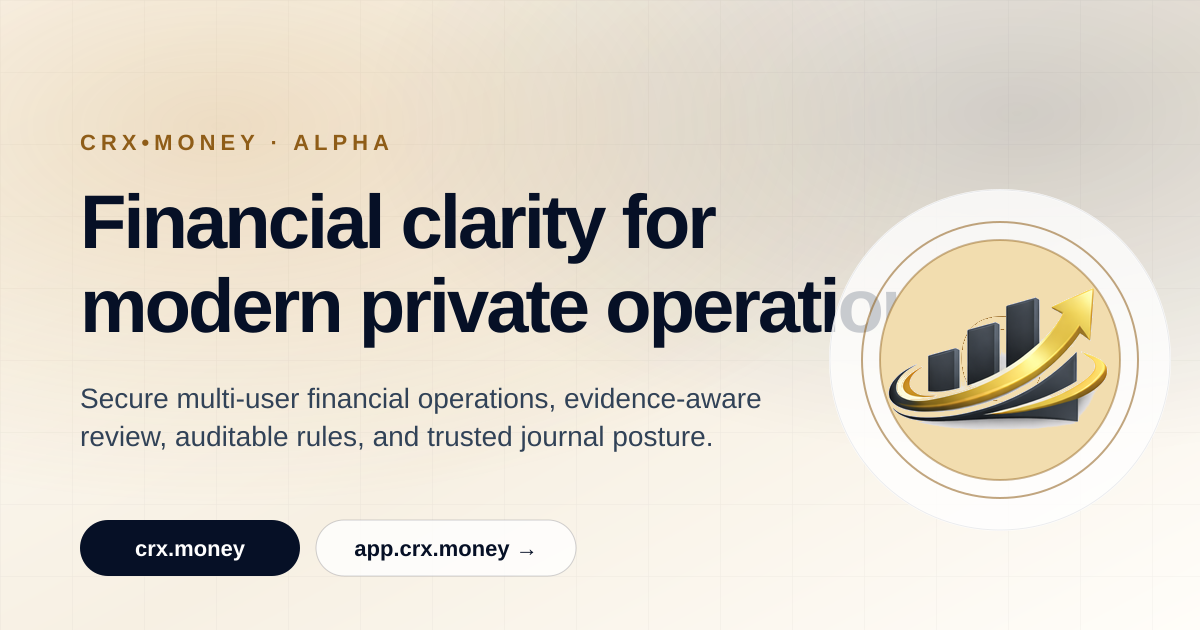
The site at crx.money is the introductory expression of the brand. It should build trust, show the product truthfully and connect clearly to the application.

CRX•Money

Public site

Financial clarity, without the noise.

CRX•Money combines disciplined reporting and application-grade control in a calm, trustworthy interface.

View platform Sample report
CRX•Money website application preview

Public site tone

The public site introduces trust, scope and methodology. It should feel more open than the app, but never less disciplined.

Relationship to app.crx.money

The public site stays lighter and more editorial. The app becomes denser, more operational and more navigation-heavy.

CTAs and trust cues

Use direct calls to action: Request demo, View platform, Sample report. Show real product crops, reporting examples and proof of process rather than lifestyle imagery.

Social expression

Financial clarity, without the noise.

One statement. One product crop. One restrained gold accent.

CRX•Money square mark

14 REPORTING AND EXPORTS

Exports should read like documents, not screenshots.

Reporting is one of the strongest trust signals in the CRX•Money system. Covers, inner pages and tables should feel precise, formal and well-paced.

Report cover

Monthly Treasury Review

April 2026 / Prepared for executive review / Generated from CRX•Money reporting

Net cash $125.8k +6.8%
Variance 32.4% Review
DateDescriptionCategoryAmount
APR 13Freelance paymentIncome$10,586
APR 21Restaurant dinnerExpense$87.60

Document-grade hierarchy

Use the light/report palette by default. Report covers, executive summaries and internal documents should read like documents, not screenshots.

Charts and tables

Use one emphasis series, quiet gridlines and strong numeric alignment. Tables should rely on spacing and alignment, not dense borders.

Print and export guidance

Avoid true black fills, hairline rules and tiny labels. Protect margins and line-length so PDFs remain readable when printed or shared externally.

Dark mode usage

Dark crops may appear in presentations and marketing, but not as the default PDF export style.

15 IMAGERY

Use product truth, data-led graphics and restrained atmospherics.

Imagery should support trust and comprehension. The best CRX•Money visuals are the product, the reports and simple supporting graphics that reinforce structure rather than noise.

Use

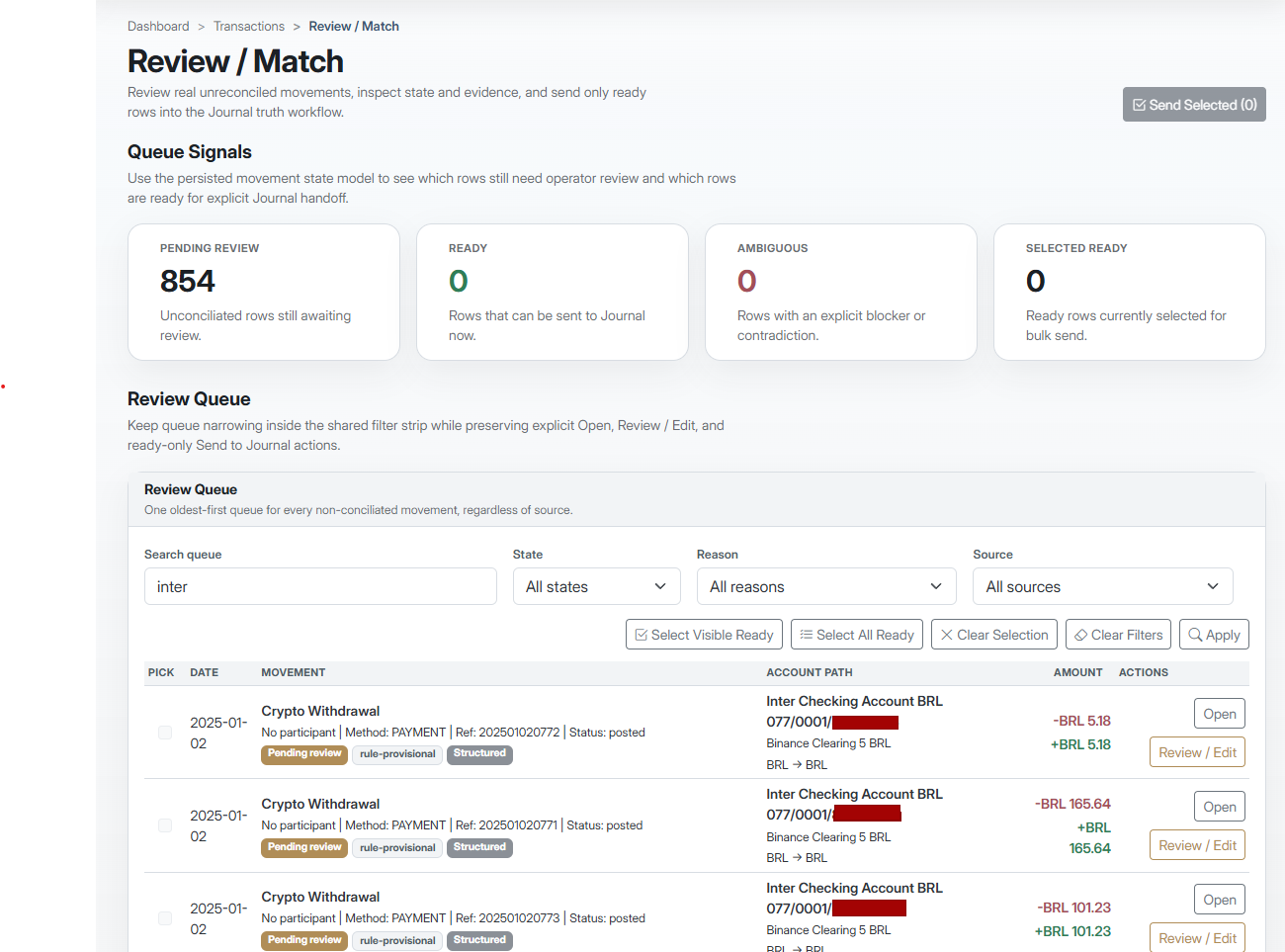
Product truth and data-led graphics

Lead with real product captures, report crops, charts, tables and simple diagrams. Architectural or material textures can appear only as restrained atmospheric support.

CRX•Money product truth preview

Optional

Abstract support, never spectacle

Subtle grids, cropped metallic details, soft gradients, motion stills from the UI or authentic portraiture can support the system when used sparingly.

Avoid

Speculative finance clichés

Avoid coins, token stacks, neon glows, meme-crypto motifs, loud 3D renders, busy lifestyle stock and cartoon illustration. They weaken trust and move the brand away from serious software.

Coins Neon Hype Cartoon

Texture guidance: any optional texture should be subtle, low-contrast and secondary to the content. Backgrounds should never compete with charts, tables or headlines.

16 VOICE AND COPY

Write with confidence, precision and calm.

The verbal system should sound intelligent, composed and evidence-led. It should support trust in the product rather than performing excitement.

Direct

  • Say what happened, why it matters and what happens next. Remove theatre before you remove clarity.

Analytical

  • Lead with numbers, comparisons and distinctions. State evidence before attitude.

Reassuring

  • Be calm and clear without overpromising. Confidence comes from precision, not hype.

Writing rules

  • Use short labels, direct nouns, limited adjectives and observable claims.
  • Do not use urgency theatre, crypto jargon, buzzword inflation or exaggerated futurism.

Headlines

Better

Quarterly cash visibility in one view.

Avoid

The future of finance is here.

Buttons

Better

Review exceptions / Export PDF

Avoid

Unlock insights / Start winning

System copy

Better

3 transactions need review.

Avoid

Great news - we found something interesting!

Support copy

Better

Expense variance widened in travel and utilities.

Avoid

Spending got a little wild this month.

17 DO / DON’T

The system succeeds when restraint is protected.

These checks should be easy for teams to remember and enforce. When in doubt, choose the calmer, more disciplined option.

Do

  • Logo Use approved assets on quiet, matched surfaces with correct clear space and contrast.
  • Color Let neutrals lead and use gold for selective emphasis only.
  • Typography Use Inter with tabular numerals for balances, dates and columnar data.
  • UI Prioritize hierarchy, spacing and data readability over decoration.
  • Marketing tone Claim only what can be shown or measured.

Do not

  • Logo Recolor, distort, glow, outline, stack or improvise new lockups.
  • Color Flood screens with gold, rainbow data palettes or heavy true-black backgrounds.
  • Typography Use decorative display fonts, overly small captions or promotional headline styles.
  • UI Over-badge, over-outline, over-round or add novelty interactions that weaken structure.
  • Marketing tone Use hype, urgency theatre, meme finance language or speculative aesthetics.

Quick rule

If a screen, report or page starts to feel louder than the information it contains, simplify the styling before adding anything else.

18 ASSET GUIDANCE

Operationalize the brand through shared assets and tokens.

Shared masters, naming conventions and implementation notes keep web, product, reporting and presentation surfaces aligned as the system grows.

Required file set

Keep one approved source package and generate all derivatives from it.

Logo

  • crx-money_signature-light_rgb@2x.png
  • crx-money_signature-dark_rgb@2x.png
  • crx-money_symbol-light_square-512.png
  • crx-money_symbol-dark_square-512.png

Favicon

  • favicon-16.png
  • favicon-32.png
  • favicon-48.png
  • favicon-64.png

Social

  • og-crx-money-dark-1200x630.png

Reporting

  • report-cover-template.pdf

Tokens

  • crx-money.tokens.json
  • crx-money.css

Shared asset rules

  • Use lowercase, hyphenated, descriptive names. Include mode and export size when useful.
  • Keep one approved source package and generate all derivatives from it.
  • Never derive new masters from screenshots, copied slides or ad hoc exports.

Web

Map the palette to CSS variables and token names that preserve the light/report and dark/application split.

Product

Use semantic colors through component tokens, not one-off hardcoded values. Preserve spacing rhythm and tabular numerals.

Reporting

Use shared page templates, cover logic, margin settings and chart defaults. Reports remain light by default.

Presentations and marketing

Prefer one clear claim, one real product crop and one restrained gold accent.

What may evolve in v2.x

What may evolve in v2.x: a controlled vector redraw, an expanded icon pack, a deeper chart library and motion guidance. What stays fixed: the approved mark character, the core palette, the Inter typographic direction, gold restraint and the dual-mode system.